Tools for Voice Servers
Teamspeak 3 Diagnostic Tool
Download ts3test-0.2.6.zip (170KB)
The program requires installed Microsoft .NET Framework 4.8
This self-help diagnostic utility can help troubleshoot connection issues to Teamspeak servers..
How to use
1. Try connect to a server through TS3 client (TS6 is not supported yet).
2. Run ts3test.exe
3. Wait for completion (approximately 5 minutes)
4. Review the generated report for identified issues and recommended solutions (covers 15+ common scenarios)
The tool automatically tests
- The last server address you failed to connect to from your Teamspeak 3 client
- Network connectivity (traceroute)
- TCP/UDP port availability
- Includes relevant TS3 client logs
Need more help?
Share the report link with your Teamspeak 3 hosting provider for further assistance.
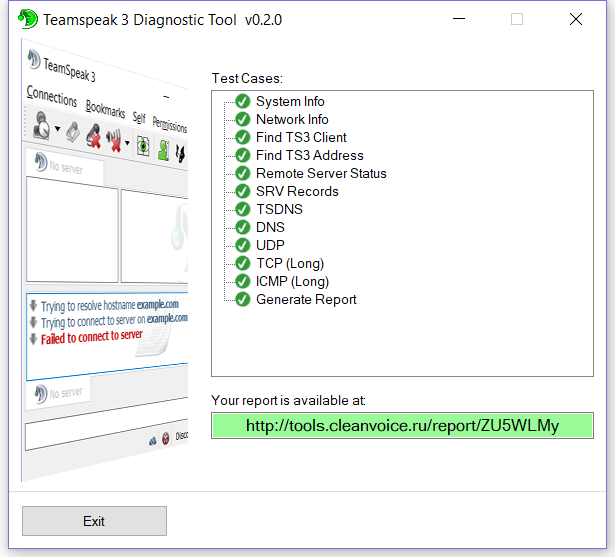
Report example: https://tools.cleanvoice.ru/report/0ASIUwj